
Notifications and reminders
View and configure notifications and reminders.
In Personal App, you get notifications about various events related to you and get reminders about your meal break. Reminders are configured from Web App and can be overridden in the Notifications and reminders section of your Personal App. See Manually track a meal break to learn more about reminders.
In turn, notifications are configured from Web App and from Notifications and reminders. To access this section, tap your profile picture in the upper right corner of your Personal App screen and select Notifications and reminders from the list. The following screenshot highlights the section.
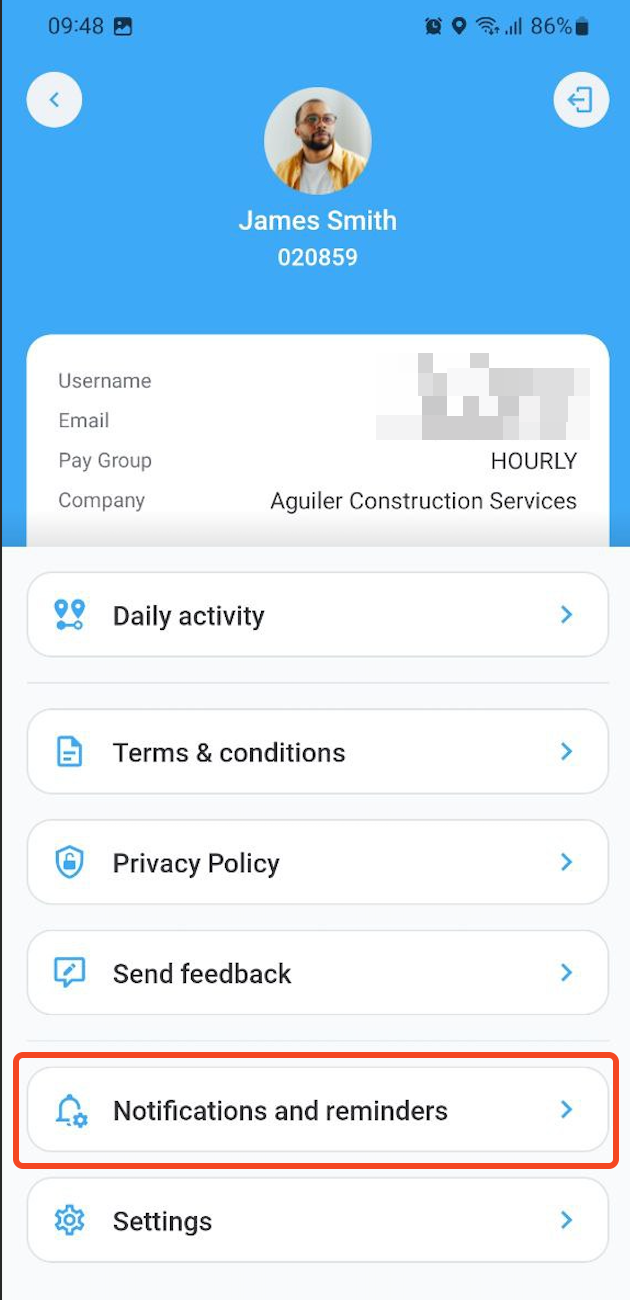
Here, notification settings are similar to those in Web App but only contain the settings that are relevant to Personal App. Therefore, only timelog notifications are included with the following options:
- My timelog comments. Receive notifications about comments on your own timelogs.
- Timelog thread comments. Receive notifications about new comments made on a timelog you have commented on. This option is only available to PMs and derived roles.
Supervisor meal break notifications
If you're a supervisor (for example, a Project Manager, Superintendent, or Foreman) assigned to a job site where Supervisor notifications are enabled and the push notification method is activated, you receive a push notification on Personal App when employees at your job site are approaching a meal break deadline.
This works differently from the notification settings above: supervisor meal break notifications don't have an on/off toggle in Notifications and reminders. You receive them automatically as long as:
- You're assigned to the job site and punched in there today.
- You hold one of the roles selected for the alert. Note that this can include any front office roles including Employee and roles derived from it. See Role permissions to learn more about roles.
- Your device is registered for push notifications.
Your administrator controls how early you're notified (30, 15, or 5 minutes before the deadline), which roles receive the alert, and whether it's also sent by SMS.
Updated 3 months ago